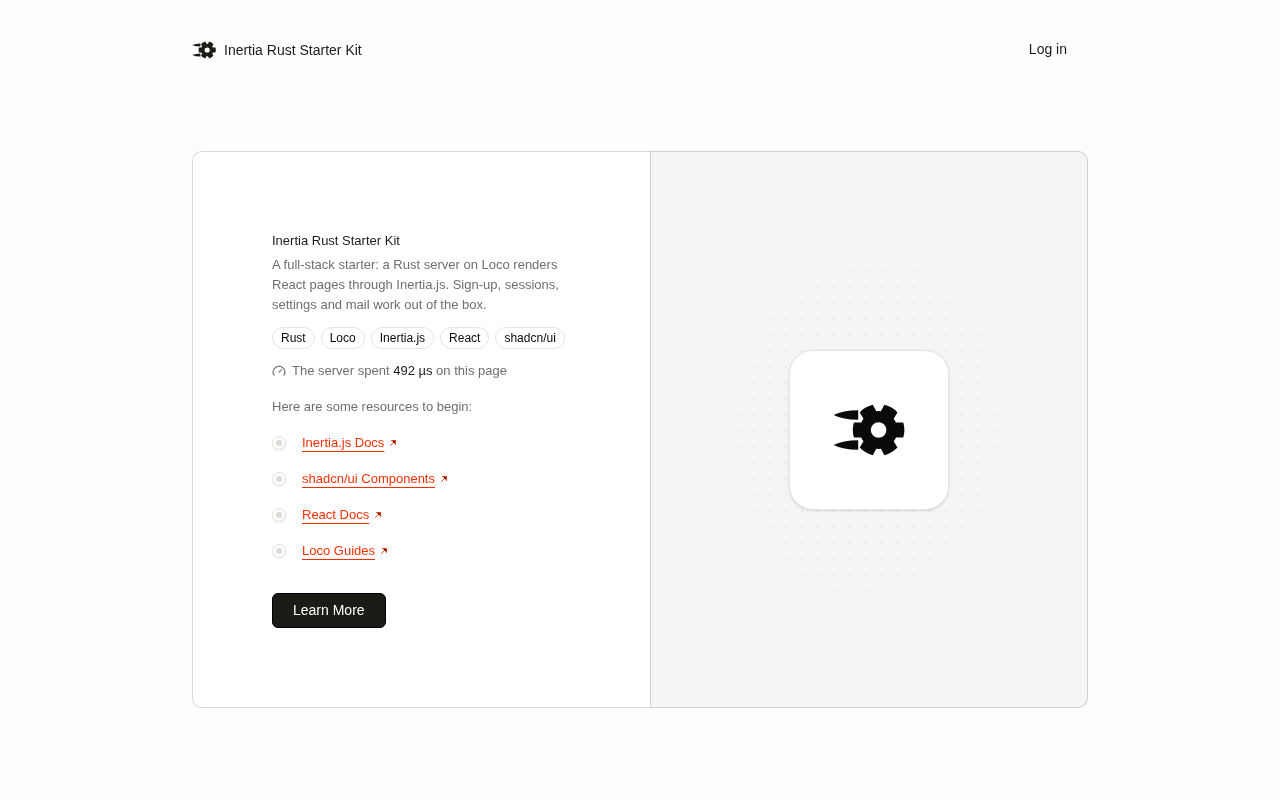
Inertia Rust Starter Kit
Inertia.js v3 + React 19 + Loco (Rust) starter kit: auth, organizations, live updates, generators and agent skills included.
Clone it, rename it, and build a multi-tenant web app. The pages are React and shadcn/ui. The server is one Rust binary with SQLite, a job queue and mail. There's no separate API: Inertia renders the pages from the server.
Try it: demo.inertia-rust.dev runs this kit as it ships. Sign up there (the database resets now and then). Docs: inertia-rust.dev.
Accounts are built in. Like most business software, data belongs to an account (organization), not to a single user: everyone who signs up gets one (an invitation joins the inviter's account instead), can create more, and invites others with roles. Routes live under /{account_slug}/…, every generated query is scoped to the current account, and anyone who isn't a member gets a 404. Don't need teams? Flatten it.
A controller loads the data and renders a React page with it as props:
// src/controllers/projects.rs
async fn index(
    current: CurrentAccount,
    State(ctx): State<AppContext>,
    inertia: Inertia,
) -> Result<Response> {
    let projects: Vec<Value> = projects::Model::list(&ctx.db, current.account.id)
        .await?
        .iter()
        .map(projects::Model::to_props)
        .collect();
    render(inertia, "projects/index", json!({ "projects": projects })).await
}// frontend/pages/projects/index.tsx
import { Link } from "@inertiajs/react"
import { useCurrentAccount } from "@/hooks/use-current-account"
import { projects as routes } from "@/routes"
interface Project {
id: number
name: string
}
export default function Projects({ projects }: { projects: Project[] }) {
const { slug: accountSlug } = useCurrentAccount()
return (
<ul>
{projects.map((project) => (
<li key={project.id}>
<Link href={routes.show({ accountSlug, id: project.id })}>
{project.name}
</Link>
</li>
))}
</ul>
)
}cargo loco generate scaffold projects name:string! writes both, plus the model, migration, routes and tests. The generated page also has the app layout and buttons.
Quick start
You need Rust (rustup; rust-toolchain.toml pins the version) and the Node version in .node-version (22). mise doesn't read .node-version unless you turn that on, so run mise use node@$(cat .node-version) in the app (or nvm use).
git clone https://github.com/cole-robertson/inertia-rust-starter-kit.git myapp
cd myapp
bin/rename my_app "My App"   # optional, but do it before the first bin/setup (see below)
bin/setup                    # npm ci, cargo build, migrate, seed, then bin/dev
Rename before the first bin/setup: the development database is named after the app, so a rename afterwards leaves the seeded one behind. If you already ran setup, run bin/setup --reset after renaming to create and seed the new one.
Open http://localhost:5150 and sign in as one@example.com / Secret1*3*5*. You land in the seeded account Acme at /acme. two@example.com is a member of Acme and owns Globex.
Daily commands:
bin/dev                           # app + job worker (:5150) and Vite with HMR (:5173)
cargo test                        # Rust tests
npx playwright test               # browser tests, client- and server-rendered
bin/ci                            # everything CI runs, stopping at the first failure
cargo loco routes                 # list routes
cargo loco task routes:generate   # after editing src/route_table.rs
cargo loco db migrate             # run migrations
cargo loco db seed --reset        # reload src/fixtures
Mail in development goes to SMTP on localhost:1025. Run Mailpit (docker run -p 1025:1025 -p 8025:8025 axllent/mailpit) and read it at http://localhost:8025.
Features
Accounts and auth
- Sign up, sign in, sign out, a sessions list with remote sign-out, email verification, password reset, profile / email / password settings, account deletion, light/dark/system theme.
- Accounts (organizations), on by default: everyone who signs up gets a personal account (an invited sign-up joins the inviter's account instead); accounts have members with roles (
owner,admin,member), email invitations and a switcher. Pages live under/{account_slug}/…, scaffolds and channels are account-scoped, and non-members get a 404. One shared database; isolation is byaccount_idon every row and query.
Server
- Loco on axum, SeaORM and SQLite.
- An Inertia v3 server adapter (
src/inertia/): partial reloads, deferred / merge / once / scroll props, asset versioning, error bags, history encryption, Precognition, optional SSR. - Typed routes:
src/route_table.rsgeneratesfrontend/routes/*.ts. - Background jobs on a SQLite queue (no Redis), scheduled tasks, mail.
- Live updates: channels,
broadcast_to, presence andperformover Server-Sent Events (src/live/,frontend/lib/live.ts).
Frontend
- React 19 with the React Compiler, TypeScript, shadcn/ui, Vite 8, Tailwind CSS 4.
Generators, account-scoped by default:
generate scaffold: migration, model, controller, routes, React pages, tests.generate controller: page actions, write actions, and nested controllers.generate channel: a live channel and its test.
For coding agents
AGENTS.md, plus two skills in.claude/skills/:loco(the framework, with its full API index) andstarter-kit(how to extend this app, one recipe per task).- Budget test helpers: assert a page's exact props, its deferred props, its payload size and its SQL query count (
tests/requests/budget.rs,e2e/budget.ts).
Tests and deploy
cargo test(model, request and Inertia protocol tests) and Playwright against the release binary. An SMTP sink lets the browser tests follow mailed links (e2e/mail-sink.ts).bin/ciand GitHub Actions: fmt, clippy, ESLint, Prettier,tsc,cargo deny,npm audit, tests, builds, Playwright.- Deploy with Kamal to your own server, or to Cloudflare Containers.
Build your app
The full walkthrough is docs/BUILDING_YOUR_APP.md. Each step below links its recipe in .claude/skills/starter-kit/recipes/.
Rename. The crate, binary, database files, Docker/Kamal/Cloudflare names and the display name:
bin/rename --dry-run acme_crm "Acme CRM"   # show what changes
bin/rename acme_crm "Acme CRM"
Renamed after bin/setup? Run bin/setup --reset once: the development database has a new name.
Scaffold a resource. It lives under /{account_slug}/projects, and every query is scoped to the account (--global opts out). The generators need cargo install --locked sea-orm-cli@2.0.4.
cargo loco generate scaffold projects name:string! description:text due_on:date
cargo loco task scaffold:pages resource:projects
Restart bin/dev to pick up the new routes (Rust has no autoloading), then open http://localhost:5150/acme/projects.
A references column becomes a select and a "must exist" check: cargo loco generate scaffold tasks title:string! project:references. new-resource.md
Controllers that aren't CRUD. Pages, write actions that redirect back, and nested controllers (Rails' Todos::CompletionsController):
cargo loco generate controller reports summary         # GET pages; index is always there
cargo loco task scaffold:pages controller:reports
cargo loco generate controller notes create update destroy
cargo loco generate controller todos/completions create destroyLive updates. Generate a channel, broadcast after a write, and reload the page's props:
cargo loco generate channel projectsProjectsChannel::broadcast_to(project.account_id, project.id, json!({ "type": "changed" }));useLiveReload("ProjectsChannel", { account: slug, id: project.id }, { only: ["todolists"] })
const here = usePresence("ProjectsChannel", { account: slug, id: project.id })Jobs, mail, scheduled tasks:
cargo loco generate worker report_export
cargo loco generate mailer project_mailer
cargo loco generate task prune_sessionsuse crate::workers::report_export::{Worker, WorkerArgs};
Worker::perform_later(&ctx, WorkerArgs { account_id }).await?;A scheduled task is a task plus an entry under scheduler: in config/<env>.yaml, run by cargo loco start --all. background-job.md, mailer.md, scheduled-task.md
A budget test for every page:
let res = visit(&server, &ctx, "/acme/reports").await;
assert_props_exactly(&res, &["filters"]);
assert_deferred(&res, "totals");
assert_payload_under(&res, 4_000);
assert_max_queries(6, || async { vec![visit(&server, &ctx, "/acme/reports").await] }).await;
inertia-page.md, "Budget tests"
More recipes: accounts, forms and validation, file uploads, cache, and sketches for billing and an admin area.
Project layout
| Path | What |
|---|---|
src/route_table.rs | every URL; generates frontend/routes/*.ts |
src/controllers/, src/models/ | handlers and models (domain logic lives on the model) |
src/inertia/ | the Inertia server adapter |
src/live/, src/channels/ | live updates and the app's channels |
src/workers/, src/mailers/, src/tasks/ | jobs, mail, cargo loco task … |
migration/, src/fixtures/ | migrations and seed data |
.loco-templates/ | the kit's generator templates |
frontend/ | React: pages/, components/ (shadcn/ui in ui/), layouts/, routes/ (generated) |
tests/, e2e/ | Rust tests, Playwright specs |
config/ | Loco config per environment; app settings are under settings: |
bin/ | setup, dev, ci, rename, secret, e2e-server |
site/ | the kit's website, inertia-rust.dev (VitePress, built from these docs); delete it in your app |
Tests and CI
cargo test            # model, mailer, request and Inertia protocol tests
npx playwright test   # against the release binary (bin/e2e-server), client- and server-rendered
bin/ci                # the same steps as GitHub Actions
bin/ci needs cargo install --locked cargo-deny, cargo install --locked sea-orm-cli@2.0.4 and npx playwright install chromium once. It also generates code in a copy of the app and checks that it builds and passes its own tests. When Playwright fails in CI, the traces and the servers' logs are uploaded as an artifact.
Playwright specs import test from e2e/fixtures.ts: page is one@ and two is two@, each signed in once per server. lastMailTo(page, email, subject) in e2e/mail.ts reads mail the app sent.
Deploy
Every container path uses the same Dockerfile: Vite assets, cargo-chef, and a slim non-root runtime. SQLite lives in /app/storage, and migrations run on boot.
Kamal, on your own server:
- Edit
config/deploy.yml: servers, registry,proxy.host,HOST(the public URL for mail links) and theMAILER_*settings. - Set the secrets
.kamal/secretsreads:SECRET_KEY_BASE(frombin/secret),KAMAL_REGISTRY_PASSWORD,MAILER_PASSWORD. kamal setuponce, thenkamal deploy.
.github/workflows/deploy.yml deploys after CI passes on main once you swap its if: false for the commented-out condition below it. With SQLite, run one web container per database; it also processes the job queue.
Cloudflare Containers: deploy/cloudflare/deploy.sh (settings in a git-ignored .env.local; --dry-run builds the config only). The container's disk is ephemeral, so this suits demos. See docs/DEPLOY_CLOUDFLARE.md.
Docker Compose, on any server: the app, a named volume for /app/storage, and optional Caddy for HTTPS.
cp deploy/compose/.env.example deploy/compose/.env   # SECRET_KEY_BASE, HOST, MAILER_*, DOMAIN
docker compose -f deploy/compose/compose.yaml --profile tls up -d --build
Single binary + systemd, no container: one release binary plus config/ and public/, with the database in the unit's StateDirectory and a reverse proxy (Caddy) in front.
npm ci && npx vite build && cargo build --release --locked
sudo install -d /opt/inertia-rust-starter-kit /etc/inertia-rust-starter-kit
sudo install -m 755 target/release/inertia_rust_starter_kit-cli /opt/inertia-rust-starter-kit/
sudo cp -r config public /opt/inertia-rust-starter-kit/
sudo install -m 600 deploy/systemd/env.example /etc/inertia-rust-starter-kit/env   # then edit it
sudo cp deploy/systemd/inertia-rust-starter-kit.service /etc/systemd/system/
sudo systemctl daemon-reload && sudo systemctl enable --now inertia-rust-starter-kit
Fly.io and Render: deploy/fly/fly.toml (a volume on /app/storage, one Machine) and deploy/render/render.yaml (a persistent disk). These configs are provided but we haven't deployed them.
Every target needs exactly one instance (SQLite), a persistent volume, SECRET_KEY_BASE, HOST and the MAILER_* settings. Compose and systemd were verified end to end; steps and details for each are in docs/DEPLOY.md.
SSR is off by default. Build with --build-arg SSR_ENABLED=true (in Kamal: builder.args.SSR_ENABLED: true) to ship Node and the SSR bundle; the app then starts and supervises node ssr/ssr.js itself. In development: SSR_ENABLED=true bin/dev.
A demo login: set DEMO_ADMIN_EMAIL and DEMO_ADMIN_PASSWORD on the container, and it creates that verified user at boot (task seed:demo). Don't set them on a real deployment.
Recipe: deploy.md.
Performance
Against the Inertia Rails React Starter Kit, both as production Docker images on one host (a Ryzen 9 9955HX workstation), 4 pinned CPUs each, SQLite, SSR off, Rails with YJIT and Puma 4×3. Medians of 5 runs, 2026-10-04. Method, ranges and caveats: docs/BENCHMARK.md.
| This kit | Rails kit | ||
|---|---|---|---|
GET /sign_in HTML, req/s | 74,719 | 6,797 | 11× |
| Signed-in page, Inertia visit, req/s ¹ | 26,435 | 5,928 | 4.5× |
| Signed-in page p99 latency ¹ | 2.1 ms | 11.2 ms | 5.4× lower |
| 100 ms outbound call, 512 clients, req/s | 5,021 | 117 (4×3); 1,233 (4×32) | 4× vs Rails' best |
| SQLite inserts, 32 writers, req/s / p99 | 11,747 / 9 ms, 0.17% 500s ² | 5,784 / 16 ms, no errors | 2× |
| SQLite inserts, 32 writers, 32 GB container ³ | 19,720 / 9 ms, no errors | 5,809 / 15 ms, no errors | 3.4× |
| Reads while 500 writes/s run, req/s / p99 | 23,938 / 2.5 ms | 8,106 / 8.8 ms | 3× |
| Memory, idle / after load | 42 / 65 MiB | 210 / 509 MiB | 5–8× less |
| Boot to first response | 57 ms | 1.6 s | |
| Docker image, compressed / unpacked | 52 / 147 MB | 207 / 531 MB | |
| Image build, cold / after a one-file edit | 101 s / 24 s | 71 s / 8 s | Rails faster |
¹ Each kit's first page after sign-in: this kit's account overview /{account_slug}, the Rails kit's /dashboard. Equivalent, not identical: ours also loads the account, the membership and the account switcher. ² Pool acquire timeouts (500 ms) during multi-second write stalls caused by the benchmark container's 4 GB memory limit (page-cache writeback throttling); with 32 GB there were none. See BENCHMARK.md. ³ Same case with --memory 32g, on the build with BEGIN IMMEDIATE write transactions and the 5 s pool timeout (009e230). Per-write latency is single-digit ms either way; the 4 GB stalls come from the kernel throttling a container that writes ~2× Rails' rows into a capped page cache, not from the app.
The Rails kit has far less code to read, reloads code instantly where Rust rebuilds, and builds its image faster from cold.
For Rails developers
This kit started as a port of the Inertia Rails React Starter Kit. Its routes, pages and flash messages still match that kit, with organizations added on top (see docs/PARITY.md). docs/RAILS_TO_LOCO.md maps each rails command to its equivalent here.
| Rails kit | This kit | |
|---|---|---|
| Server | Rails 8, Puma | Loco, axum, tokio |
| Database | SQLite, Active Record | SQLite, SeaORM (migration/, src/models/) |
| Jobs | Solid Queue | Loco's queue on SQLite |
| Live updates | Action Cable | src/live/ (SSE, plus POST /live/perform) |
| Inertia | inertia_rails gem | src/inertia/, in this repo |
| Frontend | app/javascript, rails-vite-plugin | frontend/, plain Vite with a manifest |
| Tests | RSpec, Capybara | cargo test, Playwright |
| Tooling | RuboCop, Brakeman, bundler-audit | cargo fmt, clippy, cargo deny |
What differs:
- No autoloading. Routes are registered explicitly from
src/route_table.rs; the generators write that wiring. - argon2id instead of bcrypt. Password hashes from a Rails database won't verify.
- Opaque session tokens. The cookie holds a random token, not the signed row id, so
auth.session.idis a string. - Own token format for verification and reset links, so Rails-issued links aren't accepted.
- SSR process: the Rust binary supervises
node ssr/ssr.js; Rails uses a Puma plugin. - Organizations: sign-in lands on
/{account_slug}, and/dashboardredirects there.
Security notes
The code in each path is the source of truth.
- Sessions (
src/models/sessions.rs): one row per sign-in. The HttpOnly, SameSite=Lax cookie (Secure in production) holds a random token. Deleting the row revokes that browser; a password change deletes the user's other sessions. - CSRF (
src/inertia/csrf.rs): double-submitXSRF-TOKEN/X-XSRF-TOKEN, HMAC-bound to the session, plusOriginandSec-Fetch-Sitechecks. - Headers (
src/inertia/): a CSP with a per-request nonce,frame-ancestors 'none',nosniff, a strict referrer policy, HSTS in production. - Tokens (
src/models/tokens.rs): stateless, HMAC-signed per purpose, expiring, and void once the email or password changes. - Passwords (
src/models/users.rs): argon2id. Sign-in with an unknown email still runs a verification, so timing doesn't reveal accounts. - Rate limits: sign-in, sign-up and password-reset POSTs, per IP, in memory (per process).
- User enumeration: password reset sends the same reply for every email, and only verified accounts get mail. Sign-up still reports a taken email, as the Rails kit does.
- Secrets and logs: production refuses a weak
SECRET_KEY_BASE; passwords and tokens are filtered from logs. - Supply chain:
cargo denyandnpm auditin CI; Dependabot opens weekly updates.
Acknowledgments
- Evil Martians and the inertia-rails team, for the Inertia Rails React Starter Kit this started from: its frontend, behaviour and specs.
- The Laravel React Starter Kit, which the Rails kit is based on.
- Loco, Inertia.js and shadcn/ui.
License
MIT; see LICENSE. Portions come from the Inertia Rails React Starter Kit (MIT, Copyright (c) 2026 Svyatoslav Kryukov); its license is reproduced in NOTICE.